VPN encryption explained: what enterprise security teams need to know
Key takeaways
- VPN encryption keeps your traffic unreadable as it crosses the Internet. With a modern protocol and cipher, it is extremely hard to break.
- How encryption is configured matters more than the cipher name. Standards-based protocols, perfect forward secrecy and no legacy fall-backs make the difference.
- Encryption does not hide your VPN gateway, and it cannot stop stolen credentials or an exploited VPN appliance. That is where most attacks on VPNs happen today.
- Post-quantum is already a concern for traffic you send today. The cipher is expected to hold up; the key exchange is what needs upgrading.
Encryption is what keeps remote access traffic private on its way across the public Internet. With a modern protocol and cipher, today’s VPN encryption is very hard to break, which is why it is often treated as the measure of how secure a VPN is.
But “encrypted” and “secure” are not the same thing. This guide explains how VPN encryption works, how the main protocols compare, what makes encryption strong or weak, how to check it is working, and what it leaves uncovered. That last part matters most, because attackers rarely try to break the encryption. They go around it.
What is VPN encryption?
VPN encryption protects data in transit through a virtual private network (VPN) by turning readable data (plaintext) into scrambled data (ciphertext) inside a VPN tunnel. Only the two ends of the tunnel, typically the VPN client on a user’s device and the VPN server or gateway, hold the encryption keys needed to read it. A key exchange (IKEv2 for IPsec, TLS for SSL VPNs and OpenVPN, or the Noise-based handshake in WireGuard) agrees on those keys, and a symmetric cipher such as AES-256-GCM or ChaCha20-Poly1305 encrypts the data.
The building blocks: symmetric and asymmetric encryption
VPN encryption relies on two kinds of cryptography, each with its own job.
Symmetric encryption uses the same key to encrypt and decrypt. It is fast, so it protects the traffic itself. The most widely used cipher is AES, the Advanced Encryption Standard. AES-256 uses a 256-bit key: the number of possible keys is so large that finding the right one by brute force, trying every key in turn, is not realistic. Modern VPNs typically use AES in GCM mode or the ChaCha20-Poly1305 cipher. Both are authenticated encryption algorithms, meaning they keep data secret and detect if anyone has altered it.
Asymmetric cryptography, also called public-key cryptography, uses a key pair: a public key that can be shared and a private key that never leaves its owner. It is slower, so VPNs use it only to set up the connection: to prove each side’s identity with certificates and to agree on symmetric keys without sending them across the network.
How does VPN encryption work?
A VPN creates a tunnel between two points: the VPN client on an employee’s laptop and the company’s VPN server or gateway, for example, or two office sites. Every packet that enters the VPN tunnel is wrapped inside a new, encrypted packet, sent across the Internet and unwrapped at the other end.
Setting up that tunnel takes four steps:
-
Both ends prove who they are. Usually with certificates, sometimes with a pre-shared key or user credentials.
-
They agree on session keys. Using Diffie-Hellman key exchange (usually its elliptic-curve version, ECDH), both sides compute the same encryption key without ever sending it across the network.
-
They encrypt the traffic. Each packet is then encrypted with a symmetric cipher, typically AES-GCM or ChaCha20-Poly1305.
-
They change keys regularly. Session keys are replaced at intervals, so a single compromised key only exposes a small slice of traffic.
That is why a VPN protects employees on public networks: anyone else on the network sees only ciphertext.
What an observer can still see is the outer packet: the IP addresses of the two tunnel endpoints, when traffic flows and how much of it. The real destination, such as the internal server the employee is reaching, stays hidden inside the tunnel.
Where does VPN encryption stop?
VPN encryption protects traffic between the two ends of the tunnel, and no further. At the VPN gateway, traffic is decrypted and continues to its destination over the internal network or the Internet. It stays protected only if that onward connection is encrypted too, for example with HTTPS (TLS) or SSH. If it is not, it travels unencrypted from the gateway onward.
That is also why a traditional enterprise VPN, where tunnels end at a central gateway, is not end-to-end encryption. End-to-end encryption protects data all the way from sender to recipient, so no system in between can read it, including the VPN gateway. Some newer mesh VPNs build tunnels directly between devices, which does encrypt traffic end to end between them. With a gateway-based VPN, the VPN and application-level encryption such as TLS work at different layers, and enterprises need both.
The main VPN encryption protocols compared
Most enterprise VPNs use one of four protocol families. All of them encrypt traffic well when they are set up correctly, but they differ in how they are built, how they are managed and how much risk they carry.
IKEv2/IPsec: IPsec is an IETF standard that encrypts traffic at the network layer, with IKEv2 handling authentication and key exchange. It is built into most enterprise firewalls and routers and is the usual choice for site-to-site connections. The downside is complexity: IPsec has many options, and old, weak ones are often left switched on.
SSL/TLS VPNs: When vendors talk about an “SSL VPN”, they usually mean their own remote access product that tunnels traffic over TLS, the same protocol that secures websites. It runs over port 443, so it gets through almost any firewall. The concern is not TLS itself, which is well tested, but the vendor-specific tunneling code built around it. That is why NSA and CISA’s joint guidance on remote access VPNs recommends standards-based IPsec VPNs over these products and advises switching off SSL/TLS fallback modes.
OpenVPN: OpenVPN is open source, mature and flexible, and runs over UDP or TCP. It uses TLS to set up the connection and its own protocol to carry the encrypted traffic. Depending on version and configuration, it commonly uses AES-256-GCM, and recent versions also support ChaCha20-Poly1305. The trade-off: many settings to get right, and traditionally slower speeds than kernel-based protocols.
WireGuard: The newest of the four. WireGuard uses a small, fixed set of modern algorithms: Curve25519 for key exchange and ChaCha20-Poly1305 for encryption, not AES. With nothing to negotiate, there is little to misconfigure, and its small codebase is easier to audit. The gap for enterprises: no built-in user identity management, so it needs extra tooling.
Protocol comparison
| Protocol | Key exchange | Data cipher | Strengths | Watch-outs |
|---|---|---|---|---|
| IKEv2/IPsec | IKEv2 with (EC)DH; can add hybrid ML-KEM (RFC 9370) | AES-GCM (AES-256 recommended) | IETF standard, broad enterprise support, recommended by NSA/CISA | Complex; legacy options often left enabled |
| SSL/TLS VPN | TLS 1.2 or 1.3 handshake; hybrid ML-KEM with TLS 1.3, where the vendor supports it | AES-GCM or ChaCha20-Poly1305 | Works over port 443, browser access on some products | Vendor-specific tunneling code; NSA/CISA advise avoiding it where possible |
| OpenVPN | TLS-based, OpenVPN-specific derivation; hybrid ML-KEM with OpenVPN 2.7+ built on OpenSSL 3.5+ | Commonly AES-256-GCM; ChaCha20-Poly1305 in recent versions | Open source, mature, flexible, UDP or TCP | Many settings to get right; traditionally slower |
| WireGuard | Noise handshake with Curve25519; optional pre-shared key adds quantum resistance if distributed securely | ChaCha20-Poly1305 only | Small codebase, fixed modern algorithms, fast | No built-in user identity management; not FIPS-validated; UDP only |
Two protocols to retire if they are still in use: PPTP, which has long been considered broken, and L2TP without IPsec, which does not encrypt anything on its own.
What makes VPN encryption strong or weak?
“AES-256” on a datasheet is often used as a shorthand for strong encryption. The cipher is only one part of the picture.
The cipher. AES-GCM and ChaCha20-Poly1305 are both strong. AES-128 is not weak either. AES-256, with its longer key length, is a sensible enterprise default and is what the NSA’s CNSA suite specifies for national security systems.
The key exchange. Small, legacy Diffie-Hellman groups make the session keys easier to attack, however strong the cipher is.
Perfect forward secrecy. With PFS, each session’s keys come from a temporary (ephemeral) key exchange and are discarded afterwards. If a long-term key, such as the gateway’s private key, is stolen later, it cannot be used to decrypt past sessions. On some setups PFS is optional, so check that it is on.
Authentication. Per-device certificates are the strongest option for proving identity, especially with private keys stored in hardware. Unlike passwords, they can’t be phished or guessed, and unlike a pre-shared key shared across many users, each one can be revoked on its own. For user logins, add multi-factor authentication.
Configuration. This is where most real-world weaknesses sit. A gateway that supports modern encryption but still accepts IKEv1, TLS below 1.2 or an SSL fallback mode can end up using the weakest option it allows.
Is VPN encryption ready for quantum computers?
The risk is known as “harvest now, decrypt later”. An attacker records encrypted VPN traffic today. Once a powerful enough quantum computer exists, they could break today’s key exchange (ECDH or RSA) and recover the keys that protected that traffic. Symmetric ciphers like AES-256 are not considered the weak point. The key exchange is.
The fix is already on its way. NIST published ML-KEM, a quantum-resistant key exchange, as FIPS 203 in August 2024. IKEv2 can run additional key exchanges on top of the classical one (RFC 9370), and the IETF is standardizing how to use ML-KEM this way. These hybrid setups stay secure as long as either key exchange holds. WireGuard offers an optional pre-shared key that adds a layer of quantum resistance in the meantime.
The timelines are getting concrete. For US national security systems, the NSA’s CNSA 2.0 suite says VPNs and routers should support and prefer quantum-resistant algorithms by 2026 and use them exclusively by 2030. In Europe, the EU’s coordinated roadmap asks for high-risk use cases, including critical infrastructure, to move to post-quantum cryptography by the end of 2030. Given typical hardware refresh cycles, VPN equipment bought today should already support hybrid post-quantum key exchange. Ask your VPN vendor about it, starting with tunnels that carry data that must stay confidential for years.
How to check whether VPN encryption is working
Encryption that is configured is not always encryption that is in use. A few checks for security teams:
- Check what the gateway accepts. Scan the gateway from outside to list every protocol version, cipher, and key exchange it offers, for example with ike-scan for IPsec or testssl.sh for TLS-based VPNs. Anything legacy that appears can be negotiated.
- Check what was actually negotiated. VPN client and gateway logs show the protocol, cipher and key exchange each session used. Look for sessions that fell back to a legacy option.
- Confirm routing. Make sure the traffic you expect goes through the tunnel, and review split-tunnel exclusions so nothing sensitive bypasses it. Check what happens when the tunnel drops: without an always-on setting, traffic can flow unencrypted.
- Check DNS. DNS queries should go through the tunnel to your internal resolvers, and browsers’ own DNS-over-HTTPS settings should not bypass them. A DNS leak reveals which services users are reaching, even when the traffic itself is encrypted.
- Look at the traffic. In an authorized test environment, capture traffic on the external interface. You should see only encrypted packets between the two tunnel endpoints.
Note the limits: a changed IP address or a passed DNS leak test does not prove traffic is encrypted, and no packet capture proves the cryptography is implemented correctly. That is what validated products and timely patching are for.
What does VPN encryption not protect against?
Attackers rarely try to break VPN encryption by brute force. It is far easier to go around it. Encryption decides whether someone can read your traffic in transit. It says nothing about who can reach your VPN, who logs in or what happens next.
The gateway is visible. To let employees connect, a VPN gateway needs a public IP address. Anyone scanning the Internet can find it, see which product it runs and test it for weaknesses. Encryption hides what is inside the tunnel, not the entry point to it.
The appliance can be exploited. If the VPN software has a vulnerability, the encryption does not matter. According to Verizon’s 2026 Data Breach Investigations Report (DBIR), exploiting vulnerabilities is now the most common way attackers get into an organization, at 31% of breaches, up from 20% a year earlier. In Verizon’s 2025 report, edge devices and VPNs had already grown from 3% to 22% of vulnerability exploitation targets. In January 2025, for example, Ivanti disclosed a zero-day in Connect Secure (CVE-2025-0282) that attackers had been exploiting since December 2024 to plant malware on VPN appliances. For how these attacks play out, see the NSA/FBI warning on VPN infrastructure attacks and our article on zero-day vulnerabilities in remote access VPNs.
Stolen credentials open the tunnel. A valid username and password give an attacker an encrypted tunnel of their own, and the encryption then protects the attacker’s traffic. The 2026 DBIR found that 44% of the access offers advertised by initial access brokers are VPN access. Multi-factor authentication blocks most password-only attacks, but stolen session tokens can get around it.
A compromised device uses the tunnel too. If malware runs on an employee’s laptop, its traffic goes through the VPN like any other application’s, protected by the same encryption.
Encryption does not limit movement inside. A VPN often drops users straight onto the internal network. Once an attacker is in, the tunnel’s encryption does nothing to stop them moving from system to system. More on this in the top VPN challenges putting your business at risk.
VPN encryption best practices for security teams
A short checklist to make sure your VPN’s encryption is doing its job:
- Prefer standards-based protocols: IKEv2/IPsec, as recommended by NSA and CISA, or a well-managed WireGuard deployment.
- Switch off legacy options: PPTP, L2TP without IPsec, IKEv1, SSL/TLS fallback modes and anything below TLS 1.2.
- Use authenticated ciphers: AES-256-GCM or ChaCha20-Poly1305.
- Use strong key exchange groups, such as X25519 or elliptic-curve groups of P-256 and above, and disable Diffie-Hellman groups below 2048 bits.
- Turn on perfect forward secrecy.
- Authenticate with per-device certificates, ideally with hardware-protected keys, and add multi-factor authentication for users.
- Check regularly what your gateway accepts and what sessions negotiate, and review DNS and split-tunnel settings.
- Patch VPN appliances fast, monitor their logs and run the vendor’s integrity checks. In 2025, organizations fully fixed only 26% of the critical vulnerabilities on CISA’s Known Exploited Vulnerabilities list (Verizon 2026 DBIR).
- Limit who can reach the VPN gateway, for example with IP allowlists where practical.
- Put post-quantum key exchange on your roadmap, and ask your vendor for its timeline.
Is strong encryption enough to secure your VPN?
No. It is necessary, but not enough. Even a fully patched, well-configured VPN gateway is still reachable from anywhere on the Internet. IP allowlists can narrow that for fixed sites, but not for employees who connect from changing networks.
A different approach is to control reachability: make the VPN gateway reachable only by users who have been authenticated, and give everyone else no path to it at all.
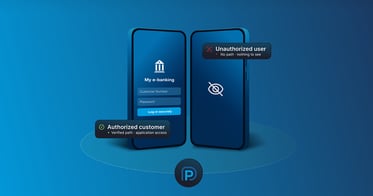
That is what Anapaya PathGuard does on the SCION Internet. PathGuard places your VPN gateway on the SCION Internet and limits access to approved users. Users sign in through your existing identity provider and, if your access policy allows it, receive the path information they need. Everyone else receives nothing. Without a path, no traffic can reach your infrastructure, not a single packet.
You do not have to replace your VPN. Employees keep using the same VPN with the same encryption. What changes is that attackers scanning the Internet can no longer find or reach the gateway. Strong authentication and network segmentation remain essential, because a user with stolen credentials still gets a path.
See how to make the VPN gateway reachable only to approved users with Anapaya PathGuard, or explore what enterprises are using alongside or instead of VPNs.
Frequently Asked Questions
Does a VPN encrypt all my traffic?
What type of encryption do VPNs use?
What’s the difference between IPsec, OpenVPN, and WireGuard?
Can VPN encryption be broken?
Is VPN encryption ready for quantum computers?
TAGS:
SCION, Remote work, Cybersecurity